


Introduction
I built Librost because I was tired of my own mess. EPUBs buried in my Downloads folder, PDFs scattered across three different cloud drives, audiobooks I'd bought and completely forgotten about, and research notes sitting in a lonely folder I hadn't opened in two years. Every time I wanted to find something I knew I owned, it took way too long. I wanted one place, clean, fast, and actually pleasant to use where my entire digital library lived. Nothing existed that felt right, so I made it.
The Problem
Digital books are a fragmented nightmare. You buy an EPUB from one store, grab a PDF from a journal, download an audiobook from another platform, and save notes in yet another app. None of these files talk to each other. Most reading apps lock you into their ecosystem or their cloud storage. Search? Good luck searching across formats and sources. Your library exists everywhere and nowhere at the same time, and every year, it gets harder to keep track of what you actually own.
The Solution
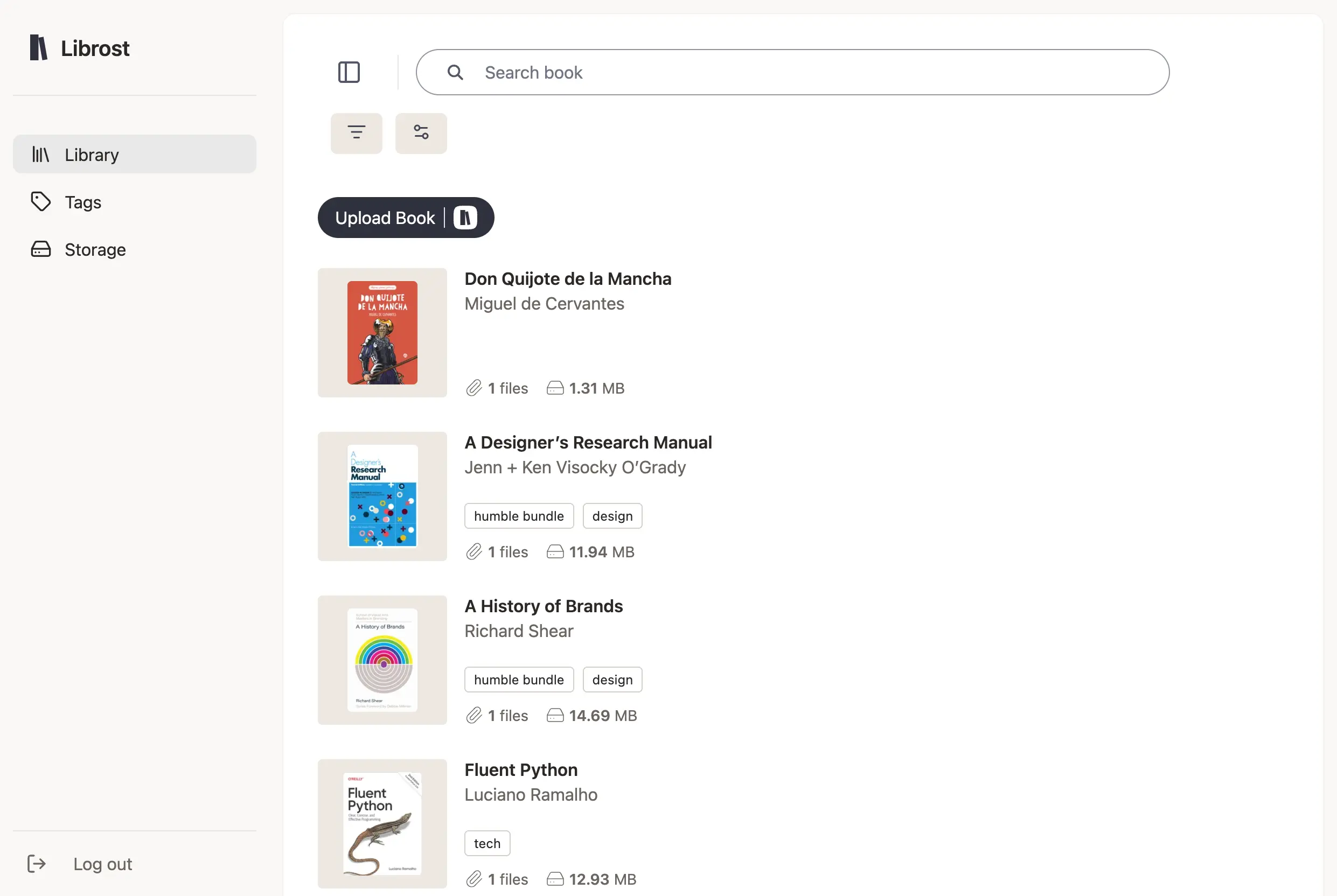
Librost is a permanent, browser-based home for every book and file you own regardless of format, source, or where you store it. Upload an EPUB, a PDF, an audiobook, and related notes under a single book entry. Librost automatically extracts covers and metadata, or you can customize everything yourself. Browse your collection visually like a real bookshelf, search across titles, authors, tags, and metadata instantly, and access it from any device. You decide where your files live: use the built-in storage to get started, or connect your own provider like Dropbox for full control. No subscriptions, no lock-in.
Key Features
- Unified book entries: Keep EPUBs, PDFs, audiobooks, notes, and related files together under a single book. No more hunting across folders and platforms for pieces of the same book.
- Automatic metadata extraction: Drop in a file and Librost pulls the cover, title, and author automatically. You can always override and customize anything manually.
- Visual bookshelf browsing: Browse your collection the way books were meant to be seen, by their covers, making it easy to scan and discover what's in your library at a glance.
- Instant universal search: Search by title, author, tag, or any metadata field and find any book in seconds, even across thousands of entries.
- Your storage, your choice: Start with built-in cloud storage included with every account. Want full ownership? Connect Dropbox (or your own provider) and keep complete control of your files without paying for extra storage.
Conclusion
Librost is for readers, researchers, students, and collectors who want their digital library to finally feel like a real library organized, searchable, accessible, and truly theirs. No subscriptions, no walled gardens, no lock-in. Try it free and put your books in one place that actually makes sense. clean, fast, and actually pleasant to use where my entire digital library lived. Nothing existed that felt right, so I made it.